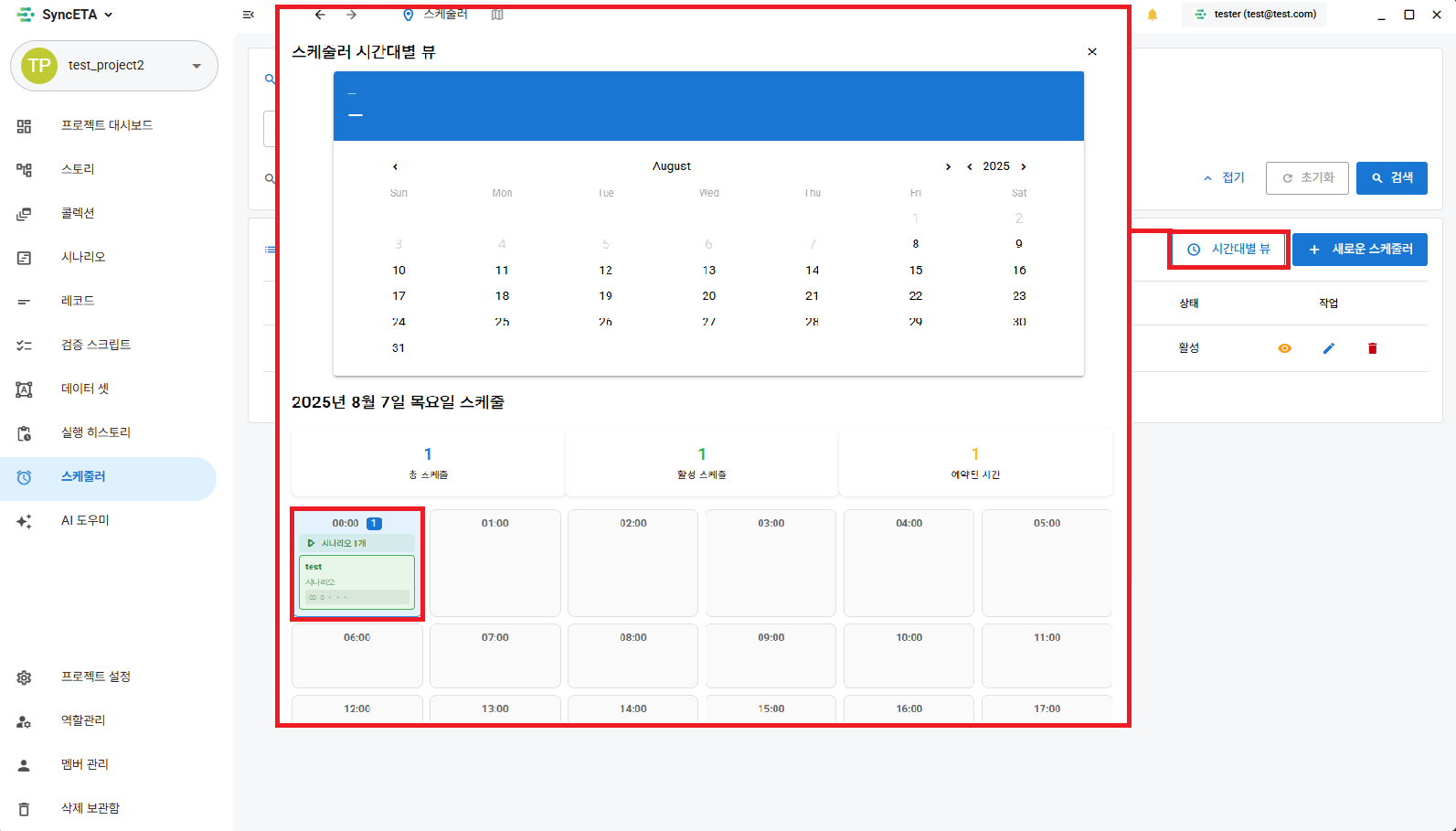
Scenario Execution and Scheduler Configuration
SyncETA supports everything from immediate single-scenario execution to large-scale cross-browser verification and a scheduler for time-based automated regression testing.
1. Direct Execution
Click the Run button in the upper-right corner of the scenario detail screen to execute the test immediately.
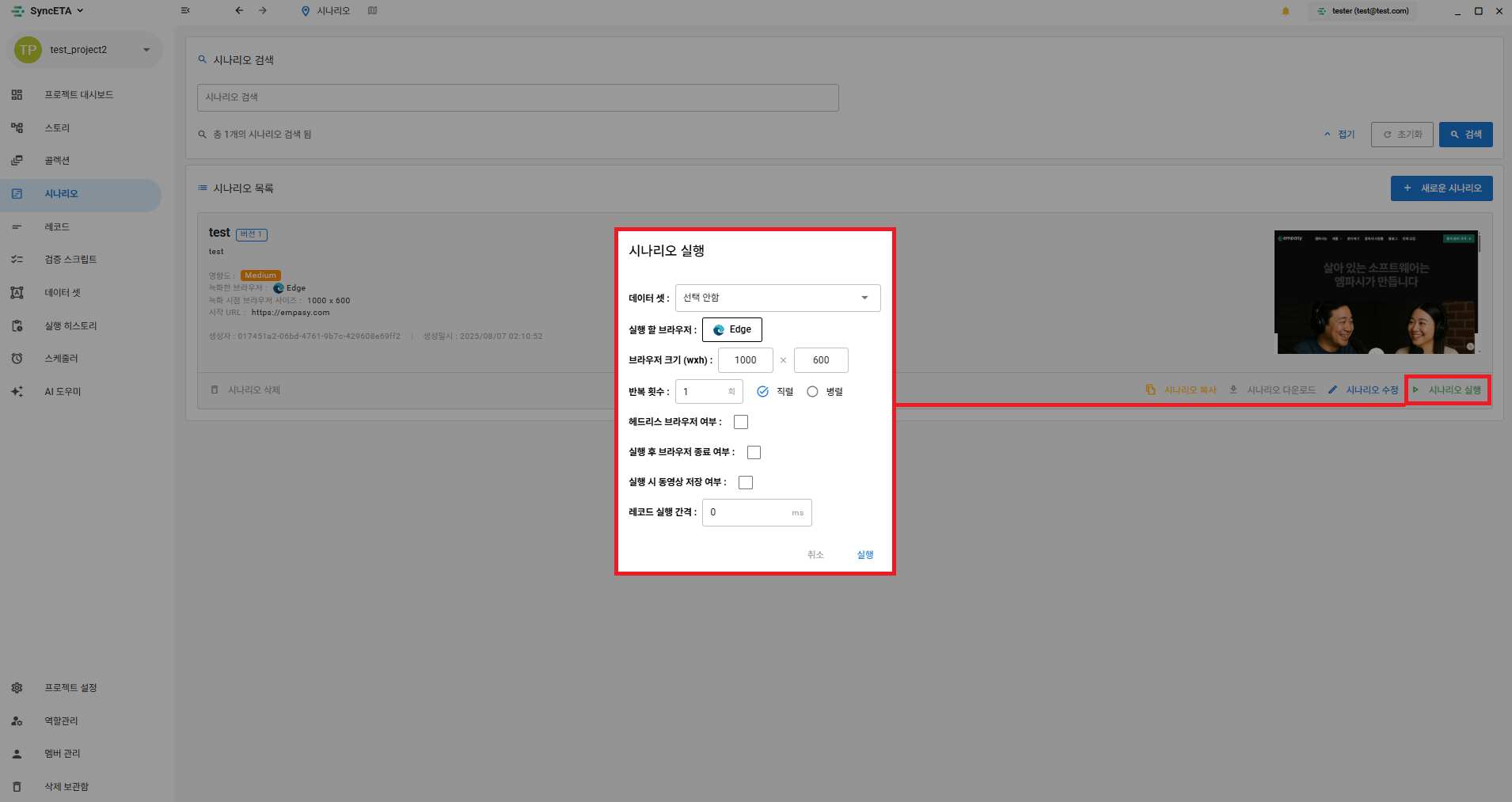
Key Execution Option Specifications
| Setting | Description | Default |
|---|---|---|
| Data Set | Select a dataset to apply during test execution (variable substitution) | None |
| Target Browser | Choose from Chromium, Chrome, Microsoft Edge, Firefox, or WebKit | Chrome |
| Viewport Size | Specify browser width and height resolution (for responsive testing) | 1920x1080 |
| Execution Mode | Serial: Run sequentially N times Parallel: Launch N browser instances simultaneously for parallel execution | Serial 1x |
| Headless Mode | Run at high speed as a background process without opening a browser GUI window | Disabled |
| Close Browser After Run | Whether to automatically clean up the browser context after the test finishes | Enabled |
| Save Video | Capture and save the entire test execution as an MP4 video file | Enabled |
| Step Delay | Default wait time (ms) inserted between each record execution | 0ms |
2. Periodic Automated Execution via Scheduler
You can configure a Cron-based scheduler for regular regression verification (such as nightly build tests or post-deployment smoke tests).
Step 1: Navigate to the Scheduler Menu
Go to the Scheduler menu in the left sidebar.
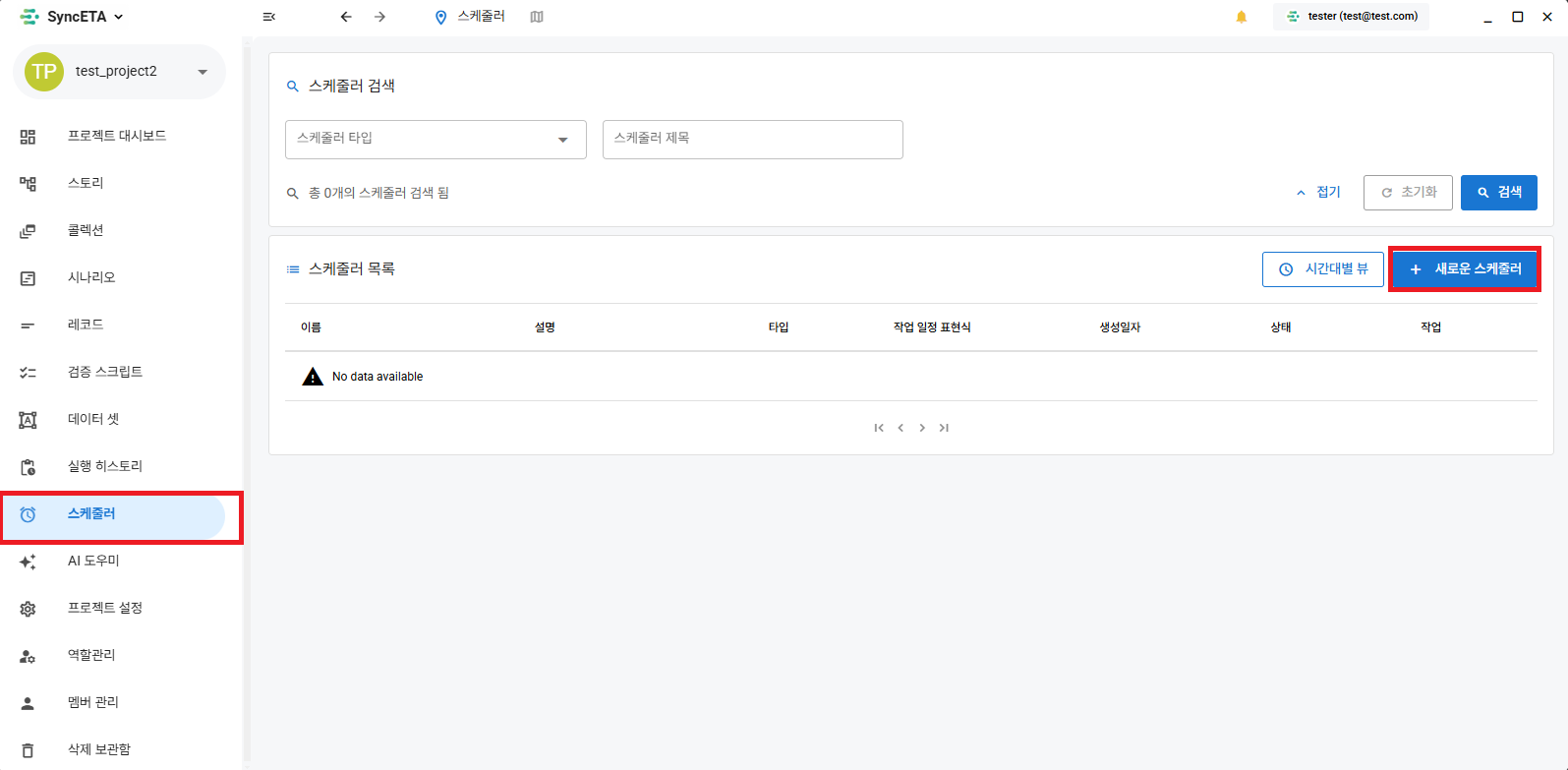
Step 2: Specify Execution Interval and Time Window
Configure the execution schedule to run at a specific time daily, on specific days of the week, or at a defined minute-based interval.

Step 3: Map Target Scenarios and Execution Parameters
Specify the list of scenarios to execute under the schedule along with the browser type and viewport environment.

Step 4: Review Registered Schedules and Execution History
Monitor the next scheduled run time and recent pass/fail status in the registered scheduler list.